Start here
Introduction
Filament keeps every version of every file you make, on your own or with your team. Your project is a normal folder on your computer, and each file downloads the first time you open it.
Get started
Three steps, from installing the app to working with your team. Working alone? Skip step 3.
You need a GitHub account to sign in, and an invite: Filament is invite-only for now. Getting an invite shows how to ask for one. A hub is the Filament server you sign in to. The app starts with Filament's own hub. If your studio runs its own hub, ask whoever invited you for its address.
What you can do
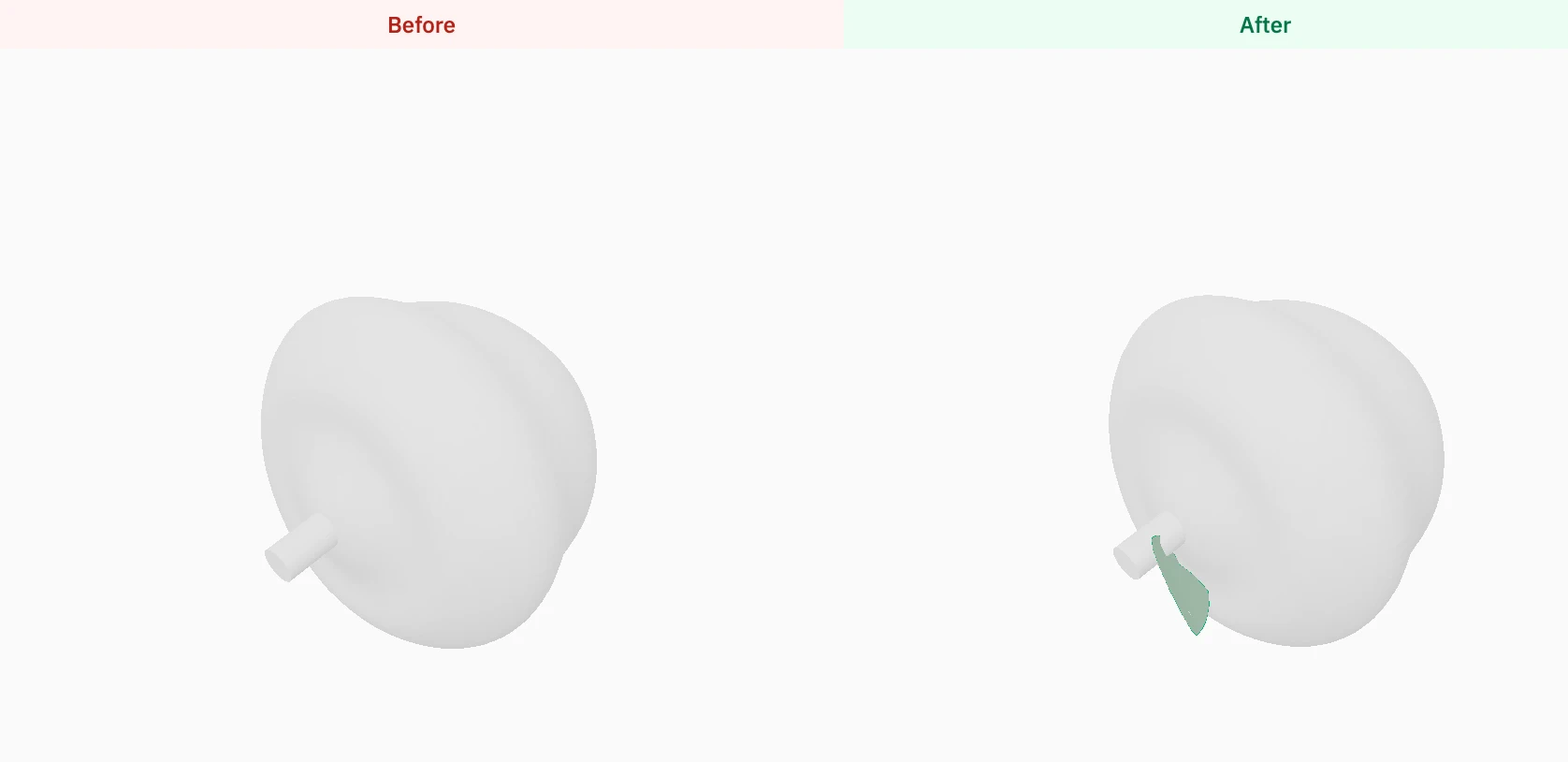 Compare versionsSee what changed in a file, for images, 3D, video, audio and text.
- Branch and merge Try an idea on a branch, then bring it back.
- Go back to an earlier version Undo pending changes, get back an old version of one file, or start again from an older commit.
- Work with an agentAsk an agent to make a change, or to review your changes.
The ideas behind it
The few ideas Filament is built on. Read them in any order.
Keep going
- Open files in your apps Find the project folder and open files in Photoshop, Blender or any app.
- Review and merge Check a branch's work, bring it up to date, then merge it.
- Big projects and disk space How files download, and how to keep a whole project on your computer.
- Ignore files Keep build output, caches and temporary files out of your commits.
- Troubleshooting Fixes for common problems installing and starting Filament.
- For developers The command line, MCP, and Filament for Git users.
Words you'll see
- Hub: the Filament server you sign in to.
- Organization: a group of people who share projects.
- Project: everything you work on, shown as one folder.
- Mount: put a project on your computer as a folder.
- Branch: a separate line of work that you merge back when it's ready.
- Pending changes: your edits that you haven't committed yet.
- Commit: a saved version of the project, with a short message saying why.
- Merge: bringing a branch's work into the branch it's headed for, called its target.
Platforms
Filament runs on macOS, Windows and Linux.